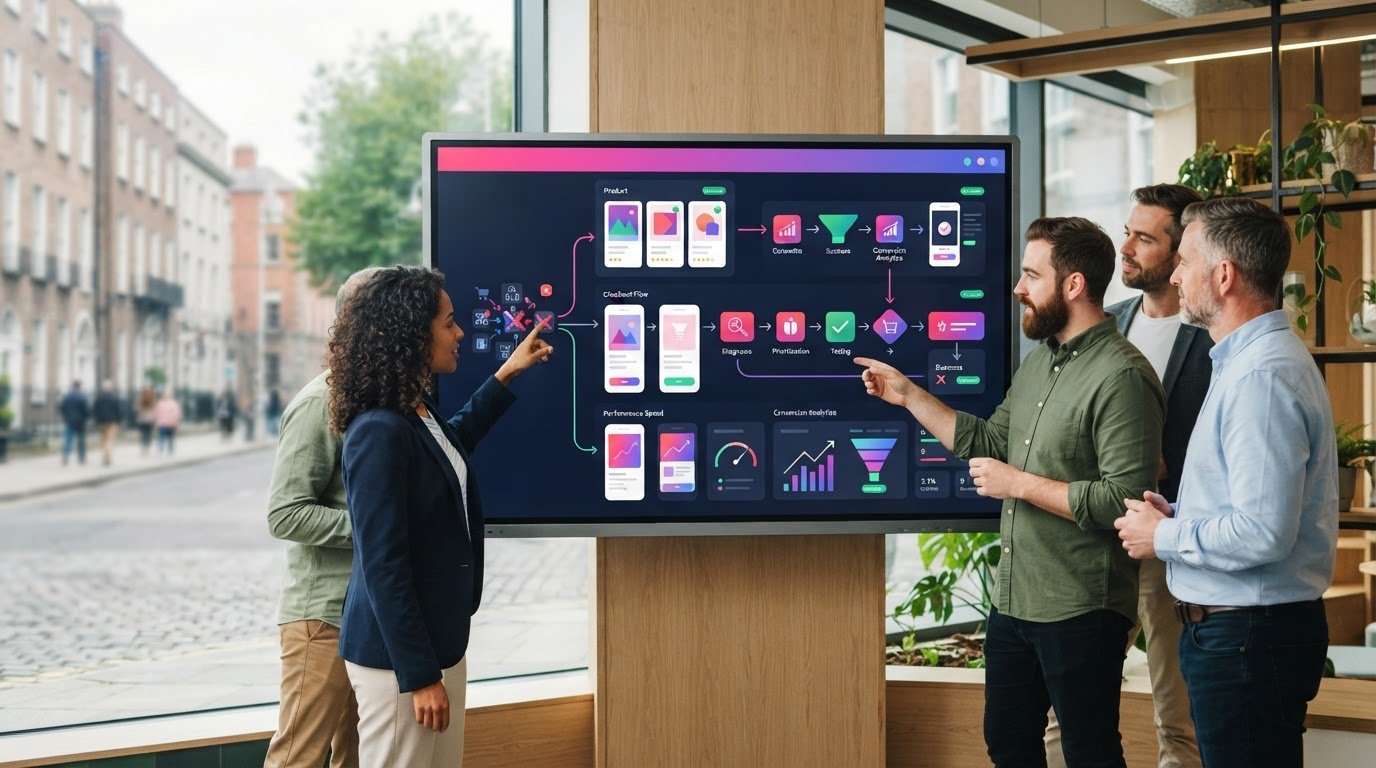
What if the best ecommerce upgrade is the one that fixes a specific problem without rebuilding your entire shop? When sales soften or customers struggle to complete a purchase, the cause might be usability, technical performance, product information or something else. Replacing the whole site can feel like the safest answer, but a targeted change may address the real bottleneck with less disruption.
Development work can affect trading and search visibility if it isn’t planned carefully. Start by diagnosing the issue, then organise changes, testing and marketing activity around your business priorities. For Dublin retailers serving customers across Ireland, that means assessing the whole journey, from finding a product to understanding delivery options and completing payment.
This guide explains how to identify ecommerce issues that matter to customers and performance, compare targeted improvements with a redesign or platform migration, and plan development and testing to reduce disruption. Web Bridge creates custom, responsive ecommerce websites, with design focused on user experience and conversion optimisation. That joined-up approach can help shape an upgrade around your existing shop and goals.
Key Takeaways
- Checkout friction, mobile usability, slow pages and difficult content updates can signal an issue, but each symptom needs diagnosis before you choose a fix.
- Use business goals, customer journeys, site evidence and technical constraints to set clear priorities for an ecommerce upgrade.
- Compare targeted fixes, a redesign, a rebuild and a platform migration by weighing their scope, dependencies and trade-offs.
- Prepare content and data, test changes in a staging environment, and plan launch monitoring to help protect trading continuity.
- Choose an approach that brings ecommerce development and conversion-focused design together, with SEO and advertising continuity considered where relevant.
When does an ecommerce upgrade make sense for your online shop?
Checkout friction, confusing mobile pages, slow-loading product pages and difficult content updates can all point to a shop that needs attention. But a visible problem is a symptom, not a diagnosis. A shopper abandoning a basket might be reacting to a complicated checkout, unclear delivery information, an unavailable product or a payment issue. Each calls for a different response.
E-commerce involves buying and selling through electronic networks, but a successful online shop also depends on the experience around each purchase. For an Irish retailer, that means helping customers find products, understand delivery options and complete payment without unnecessary friction. Dublin businesses selling nationally need to make that information clear to customers wherever they are.
Which signs suggest your ecommerce site needs attention?
Look for patterns in customer feedback, support queries and day-to-day site use. Repeated questions about finding products, navigating categories or completing checkout may indicate that key journeys are unclear. If shoppers struggle to use filters or tap checkout controls on a phone, review the mobile experience on the pages where those tasks happen.
Other warning signs include slow pages, integrations that no longer work smoothly, and cumbersome content updates that make it hard to keep product or campaign information current. Record where the difficulty occurs and who it affects. A page that loads slowly across devices may need a different fix from a checkout problem that appears only after a particular step.
How can you tell a site issue from a business issue?
An ecommerce upgrade is a planned improvement to an existing online shop, chosen to address a specific customer, operational or business need. It could mean adjusting a checkout journey, improving mobile layouts or updating how products are managed. It doesn’t automatically mean replacing the platform or rebuilding every page.
Compare analytics patterns with customer comments and operational observations before deciding what to change. If visits are steady but shoppers leave at the same checkout step, investigate the purchase journey. If product pages attract little attention, consider whether navigation, product information, merchandising or traffic quality is contributing. If orders are delayed, fulfilment processes may be part of the issue rather than the website itself.
Separate the evidence into four areas: traffic, merchandising, fulfilment and website experience. This helps avoid treating a business challenge as a technical fault, or overlooking a genuine usability problem. Start with the smallest change that addresses the clearest cause. A focused improvement may be more suitable than replacing the platform. Web Bridge’s ecommerce website development combines design and development around a retailer’s priorities.
How to diagnose ecommerce upgrade priorities before choosing a solution
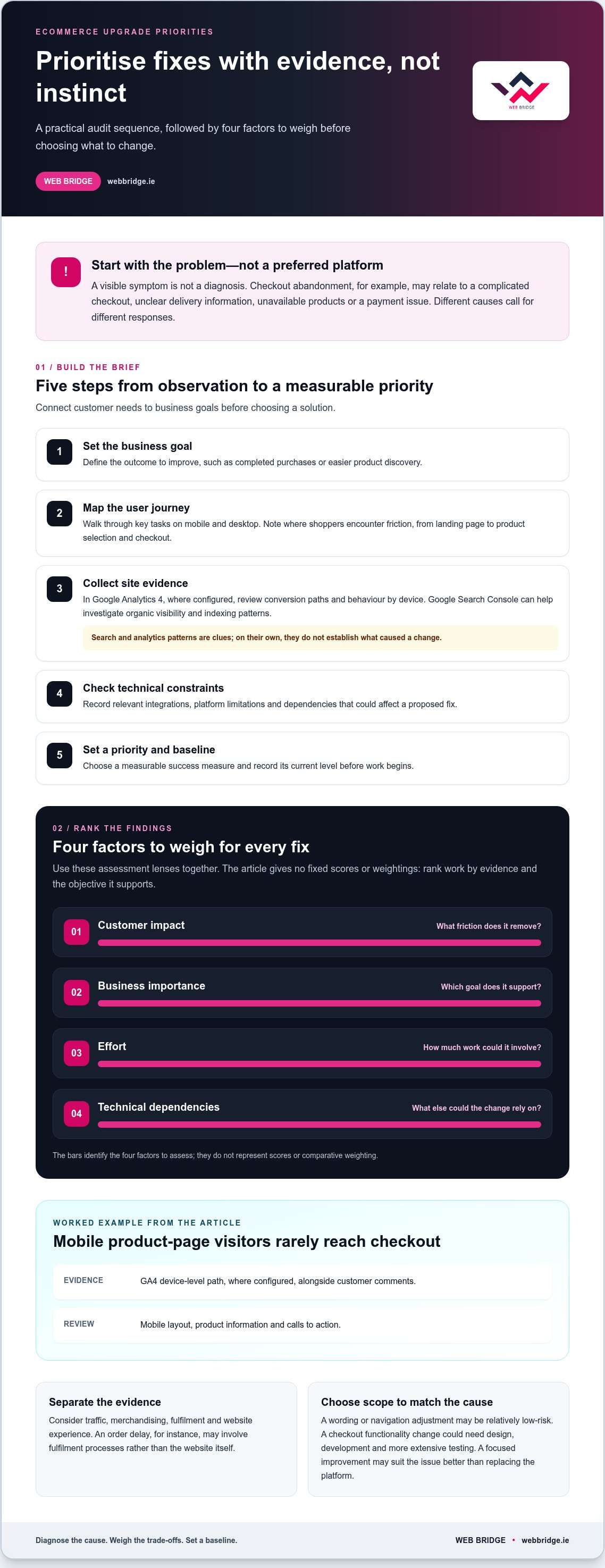
Use evidence to decide what to change, rather than starting with a preferred design or platform. A structured ecommerce upgrade audit connects customer needs to business goals and gives you a baseline for evaluating changes after launch.
What should an ecommerce upgrade audit review?
Trace important journeys from a landing page through product selection and checkout. Review navigation, product details, forms, accessibility and mobile presentation. Assess page speed and Core Web Vitals as diagnostic signals, not as a complete measure of whether the shop is succeeding.
Follow this sequence to turn observations into a brief:
- Set the business goal. Define the outcome to improve, such as completed purchases or easier product discovery.
- Map the user journey. Walk through key tasks on mobile and desktop, noting where shoppers encounter friction.
- Collect site evidence. In Google Analytics 4, where configured, review conversion paths and behaviour by device. Google Search Console can help you investigate organic visibility and indexing patterns, but those patterns alone don’t establish what caused a change.
- Check technical constraints. Record relevant integrations, platform limitations and dependencies that could affect a proposed fix.
- Set a priority and baseline. Choose a measurable success measure and record its current level before work begins.
How do you rank fixes by business impact?
Assess each finding by customer impact, business importance, effort and technical dependencies. A wording or navigation adjustment may be relatively low-risk; changing checkout functionality could require design, development and more extensive testing. Rank work by the evidence and the objective it supports, not simply by how visible the issue seems.
Consider the wider customer journey too. Harvard Business Review’s research offers useful context on why an omnichannel strategy matters, but your own store data should guide which channel or journey needs attention.
Sample priority review
Issue: Mobile product-page visitors rarely reach checkout. Evidence: GA4 device-level path, where configured, plus customer comments. Action: Review mobile layout, product information and calls to action. Measure: Compare the baseline with the rate of product-page visitors progressing to checkout after the change.
Issue: Organic landing pages show indexing changes. Evidence: Search Console reports. Action: Investigate affected pages and technical settings before editing. Measure: Track indexed pages and organic visits to those pages over time.
Keep quick, low-risk changes separate from work with larger technical dependencies. Web Bridge’s ecommerce website development brings design and development together around your shop and goals.
Targeted fixes, redesign or platform migration: which ecommerce upgrade fits?
Weak sales don’t automatically mean your platform is the problem. The right ecommerce upgrade depends on what the evidence points to, how your current shop is built and what the business needs next. A clearer product page may solve a customer issue without a rebuild; persistent platform constraints may call for a broader change.
| Route | Suitable situation | Likely scope and dependencies | Main trade-off |
|---|---|---|---|
| Targeted improvements | A specific checkout, navigation or content issue is holding a journey back. | Focused design or development changes, with testing across relevant devices and journeys. | Less change to manage, but the underlying platform limitation may remain. |
| Visual redesign | The shop’s look and layout no longer support clear product discovery or a consistent experience. | Updated page layouts and visual presentation, with existing content and functionality reviewed. | Can refresh the customer experience, but won’t automatically resolve technical or integration problems. |
| Major rebuild | Several parts of the existing site need structural improvement, but the platform remains suitable. | Broader development across templates, features and integrations, with careful testing and data handling. | Offers more scope for change, though it requires greater planning and coordination. |
| Platform migration | The current platform repeatedly blocks essential requirements or is difficult to maintain. | Move the shop, content and relevant data, then reconnect integrations and review URLs and search visibility. | Can address platform constraints, but data transfer, integration work and organic-search continuity need attention. |
When are targeted ecommerce fixes enough?
If customers can’t find delivery information or a mobile button is difficult to use, a focused content or usability change may be enough. Test the fix on relevant devices and follow the journey through to purchase. If the same issue keeps returning, or teams rely on workarounds for routine tasks, investigate whether a deeper structural constraint is responsible.
When should a redesign or platform migration be considered?
Consider a redesign when persistent layout or content-management limitations affect multiple journeys. Evaluate a migration when technical or integration constraints prevent essential improvements. Compare options against your requirements, including functionality, management needs and dependencies. Shopify or WooCommerce may suit different setups, so choose based on fit, not familiarity or trend. Plan for data transfer, integration testing and URL mapping to help manage organic-search risks.
Web Bridge creates custom, responsive ecommerce platforms with user experience and conversion optimisation in mind. Explore ecommerce website development as part of a requirements-led plan for your shop.
How to plan an ecommerce upgrade without avoidable disruption
A careful release plan helps protect the customer journey, trading activity and search visibility while changes are made. Break the work into clear phases: agree the scope, prepare content and data, develop the changes, test them, launch, then monitor the results. Assign an owner to each stage so there’s a clear route for resolving issues.
Use a staging environment to review changes away from the live shop. It lets your team check layouts, content, integrations and purchase journeys before customers encounter them. Keep a record of decisions and outstanding issues, and don’t treat launch as the finish line. Monitoring after release helps you spot problems that only appear in real use.
What should be tested before an ecommerce upgrade goes live?
Test the complete purchase journey, not just individual pages. Check checkout, payment flow, forms, search, navigation and order confirmation messages. Review mobile layouts, page speed, tracking and important integrations too. A pre-launch checklist should record each test, its owner, the result and whether any issue has been resolved.
- Scope and preparation: confirm what is changing, organise content and data, and identify dependencies.
- Development and review: build and inspect the work in staging, including key customer journeys.
- Launch and monitoring: verify the live experience, tracking and priority pages, then watch for errors or unexpected changes.
Include an appropriate review of GDPR-related data handling and the consumer information shown to shoppers. These are important considerations for an Irish online retailer, but this checklist isn’t legal advice. Get suitable professional guidance for your circumstances.
How can you protect search visibility during changes?
Before launch, map URLs that will change or disappear and prepare relevant redirects so visitors and search engines can reach the appropriate replacement pages. Check that canonical tags and indexability settings are correct, and review the XML sitemap. After release, confirm analytics tracking still works and monitor organic landing pages and key customer journeys for unexpected changes.
For broader design considerations, see professional web design guidance. Keep search and advertising activity aligned with the release plan too, particularly if landing pages or URLs are changing. This helps teams review traffic patterns in context rather than treating every fluctuation as a technical fault.
Plan for ongoing site upkeep after launch. Read about website repair and maintenance to consider how to manage follow-up site issues.
Choosing an ecommerce upgrade partner for your Irish business
A strong partner helps you decide what needs to change before work begins. Look for a clear process that connects business priorities with customer experience, technical requirements and a manageable delivery plan. The aim is to define an upgrade that fits your existing shop and what you need it to do, not to assume that the biggest project is the right one.
Use this framework to understand how a project will move from diagnosis to launch:
- Discovery: Review your current shop, customer journeys, business goals and known pain points.
- Scope: Set out deliverables, dependencies, responsibilities and measures of success.
- Design: Make product discovery and purchasing clear across relevant devices, with user experience and conversion in mind.
- Development and testing: Build the agreed changes, then test key journeys and integrations before release.
- Post-launch support: Agree how the site will be monitored and how follow-up issues or improvements will be handled.
Web Bridge brings ecommerce development together with responsive web design focused on user experience and conversion optimisation. If an upgrade affects organic landing pages or paid campaign journeys, coordinate relevant SEO and advertising activity with the project plan. This supports continuity without assuming a particular result. Explore custom web design services as part of a joined-up approach to your shop’s design and development.
What should a clear ecommerce upgrade scope include?
A useful scope names the business goals, customer needs, deliverables, dependencies and success measures. It should also make responsibilities clear: who prepares content and product data, manages integrations, carries out testing and approves the launch. This gives everyone a shared view of the work and makes it easier to spot gaps before development begins. Web Bridge’s ecommerce development can be shaped around your current setup and priorities.
What are the next steps for upgrading your online shop?
Before discussing a project, write down your most important customer and operational issues. Note where they occur, who they affect and what evidence you have. Then describe the outcome you want, alongside practical constraints such as integrations, content responsibilities or trading continuity.
You don’t need to arrive with a predetermined rebuild. Start with the problems and priorities; the right scope may be targeted improvements or broader development. Discuss an ecommerce upgrade with Web Bridge to shape a practical plan around your existing shop and business goals.
Make your next shop improvement count
The right ecommerce upgrade starts with evidence, not assumptions. Identify where customers encounter friction, then match the solution to the cause. A targeted fix may be enough; a redesign or platform migration makes sense when deeper limits prevent the changes your business needs.
Plan the work around clear priorities, prepare content and data, and test key journeys before launch. Keep search visibility and marketing continuity in view, then monitor the results against a baseline. These steps help you make considered improvements without taking on unnecessary change.
Based in Dublin, Web Bridge creates custom, responsive ecommerce websites for businesses in Ireland. Its web design focuses on user experience and conversion optimisation, with the scope tailored to your existing shop and priorities.
Ready to identify the right next step? Discuss an ecommerce upgrade tailored to your business with Web Bridge and move forward with a practical plan. Start with the improvements that will make your online shop more useful to customers.
Frequently Asked Questions
How do I know if my ecommerce website needs an upgrade?
Recurring customer complaints, difficult content updates, technical limitations or friction in important shopping journeys are reasons to investigate. Compare these signals with analytics and your business goals before deciding what to change. If shoppers struggle to find product details, for example, review navigation and product-page behaviour alongside their feedback. An ecommerce upgrade may be a focused fix rather than a full redesign. The right scope depends on the evidence, platform constraints and outcome you want.
Should I upgrade my ecommerce website or build a new one?
Choose based on the problem, not an assumption that a new site will perform better. An upgrade can mean targeted fixes, a visual redesign, a rebuild on the current platform or a migration. A contained usability issue may need only a focused improvement, whilst persistent structural or platform limits could justify broader work. Compare customer impact, dependencies, data transfer, search risks and business priorities before deciding. Weak results alone don’t prove that your platform needs replacing.
How long does an ecommerce website upgrade take?
The schedule depends on the scope, current platform, integrations, readiness of content and data, testing requirements and approval stages. A contained enhancement involves different work from a redesign or migration, so there’s no reliable universal duration. Set a realistic timeline after discovery and agreement on the project scope. Allow enough time to test checkout, integrations and key customer journeys properly. Rushing to meet an arbitrary launch date can leave issues undiscovered.
Can I upgrade my ecommerce website without losing SEO rankings?
You can plan an upgrade to reduce avoidable search risks, but no one can guarantee rankings will remain unchanged. Organic visibility may be affected if URLs, content, redirects, internal links or indexing settings change without care. Record important pages and current performance, map URLs that will move, and review technical SEO before launch. After release, monitor Google Search Console for indexing and visibility patterns, alongside analytics. This helps you spot changes and investigate them promptly.
What should I prioritise in an ecommerce upgrade?
Prioritise issues supported by customer feedback, analytics, operational evidence and clear business goals. Review mobile journeys, product information, navigation, checkout, page performance, integrations and content management to identify where friction occurs. For each proposed change, record the evidence, customer or business impact, effort, technical dependencies and a measurable objective. This turns a long list of possible features into a focused plan. Start with the problems that matter most, rather than adding changes without a defined purpose.
Do I need to change ecommerce platforms to improve my online shop?
No, many improvements can be made without changing platforms, depending on the existing system and its limitations. Assess a migration if essential requirements can’t be met reliably or persistent constraints affect customers and operations. Compare platform capabilities against your needs, including integrations, data migration and potential search implications. Shopify and WooCommerce aren’t universally best choices; the right fit depends on your current setup and project requirements. Dublin businesses should make the decision around business needs, not platform popularity.
How can an ecommerce upgrade reduce disruption to trading?
Reduce avoidable disruption with a clear scope, phased development, a staging environment and checks on backups and data. Before launch, test checkout, payment flows, integrations and important customer journeys across relevant devices. Agree who approves the release and how the live shop will be monitored afterwards. The best release approach depends on the platform and project scope. Testing helps uncover problems, but it can’t eliminate every launch risk or guarantee uninterrupted trading.